All About Memory Cards: Your Choices Matter More Than You Think

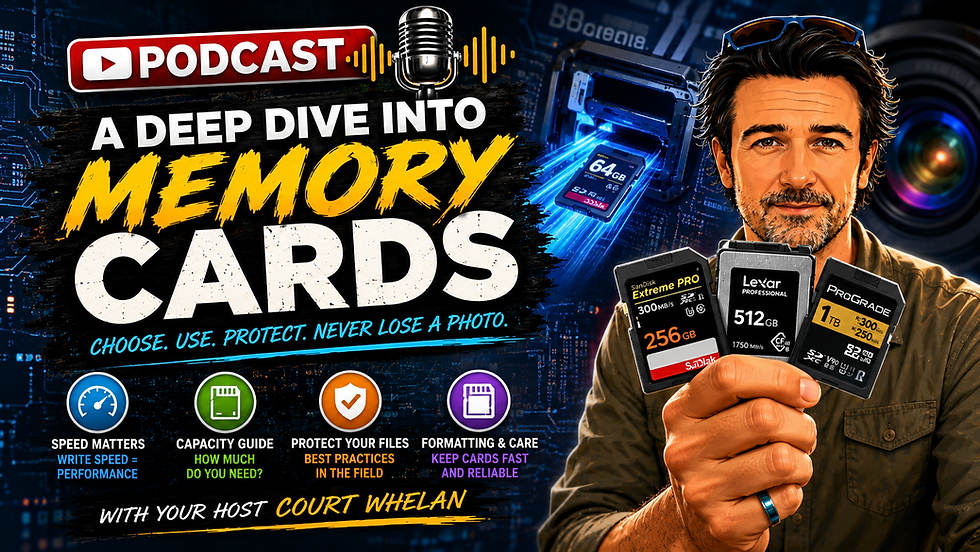
I love camera gear and you probably already knew that. And there are plenty of pieces of camera gear that are fun to obsess over. Memory cards are not one of those things.
They are tiny, kind of boring, and usually are just a "means to an end" when it comes to recording your images. And yet, when you think about it, they are one of the most important pieces of photography gear we own.
Every photo from every incredible wildlife encounter, every landscape from a once-in-a-lifetime trip, every video clip and every fleeting moment eventually has to make its way onto that little card.
When memory cards work, we barely think about them. When (if) they don't, they can ruin your day.
So let's do a deep dive here to keep them working properly, and that involves many things, believe it or not.

Your Memory Card Is Part of the Camera System
At the most basic level, your camera captures information with the sensor, processes that information into a RAW, JPEG, HEIF, or video file, then writes that file onto your memory card.
The important thing to understand is that the memory card isn't just a storage locker. It's actively working with your camera.
If you're photographing landscapes one frame at a time, almost any decent modern card can probably keep up.
If you're photographing a cheetah chase at 20 frames per second, shooting huge 45-megapixel RAW files, or recording 4K or 8K video, things get very different.
A slow card can become the weak link in an otherwise incredible camera system. And that's really the mindset shift here.
Don't think of memory cards as accessories. Think of them as part of your camera. You've got to invest in them just like all the other "fun" gear.

Start With What Your Camera Actually Accepts
Before worrying about brands, capacities, or speeds, start with the obvious question.
What kind of card does your camera take?
For most photographers today, you'll encounter a few main formats...
SD cards are still the most common. They're used in countless mirrorless cameras, DSLRs, compact cameras, audio recorders, trail cameras, and other devices.
MicroSD cards are the tiny versions commonly found in drones, action cameras, and smaller electronics. You can often put them into an SD adapter, but I generally wouldn't recommend doing that in your primary camera unless there's a specific reason (I can't think of one).
It's simply another connection and another potential point of failure.
Then there is CFexpress, which has become increasingly common in higher-end cameras.
CFexpress cards are built for speed. They're particularly useful for high-resolution RAW bursts, fast continuous shooting, and demanding video modes.
You'll commonly see CFexpress Type A and Type B. Sony cameras tend to use Type A, while many Canon, Nikon, Fuji, Panasonic, and other cameras use Type B.
Some older professional cameras may also use CompactFlash or XQD cards.
The easiest answer is not to memorize every acronym.
Check your camera manual (boring, but a must).
Your camera manufacturer will tell you exactly which card formats and performance standards your camera supports.
Write Speed Is Usually More Important Than Read Speed
This is where memory card packaging starts looking like a tiny NASCAR covered in logos.
You'll see things like:
300 MB/sUHS-IIU3V60V90SDXC
It can be a little ridiculous.
The most important distinction for photographers is between read speed and write speed.
Read speed is how quickly information can come off the card. That primarily affects how quickly you can transfer files to your computer.
Write speed is how quickly your camera can put information onto the card.
For most photographers, write speed is the number I care about most. Why? Because when you're shooting high-speed bursts, your camera is generating a tremendous amount of data very quickly.
Your camera temporarily stores those photographs in something called the buffer.
Think of the buffer as a waiting room. You press the shutter and your camera starts piling photographs into the waiting room. Meanwhile, the memory card is trying to move those photographs out of the waiting room and into permanent storage.
If your card is fast, the room clears quickly. If your card is slow, the waiting room fills up.
Eventually your camera has nowhere to put the next photos, so your frame rate slows dramatically.
This is the dreaded moment when you're photographing incredible wildlife action and suddenly your camera goes from click-click-click-click-click to...
click...click...click.
Not ideal when the lion finally decides to chase something.
You want and need a fast write speed primarily.

Video Has Even Greater Demands
Video works a little differently because instead of writing short bursts of photographs, your camera has to maintain a continuous stream of data.
This is where ratings such as V30, V60, and V90 become particularly useful. The V stands for video, and the number represents the minimum sustained write speed.
A V30 card is rated to sustain at least 30 MB/s.
V60 means 60 MB/s.
V90 means 90 MB/s.
That word "sustained" is important.
A card might be capable of a very impressive maximum speed for a few moments, but video needs consistent performance. If the card can't keep up, your camera may stop recording, limit certain video modes, or simply tell you that the card isn't fast enough.
If you're regularly shooting high-quality 4K, high frame-rate video, 8K, or RAW video, don't guess. Look up exactly what your camera requires.

When CFexpress Makes Sense
CFexpress cards can move enormous amounts of data very quickly.
If you're photographing wildlife at high frame rates with large RAW files, they can make a noticeable difference. They're also particularly useful for serious video work.
But faster does not automatically mean better for everyone.
CFexpress cards are more expensive, they can get surprisingly hot, they require compatible readers, and for many photographers, they're simply overkill.
If you're photographing landscapes, macro subjects, travel scenes, and relatively slow-moving subjects, a quality SD card may give you everything you need.
It's worth noting that a faster card does not improve image quality.
It simply allows your camera to handle data faster and more reliably.
For wildlife and action photographers, that can be incredibly important.

How Much Storage Do You Actually Need?
Should you buy 64GB cards? 128GB? 256GB? A full terabyte?
There isn't one answer because it depends on your camera and how you photograph. A 24-megapixel camera produces much smaller RAW files than a 45 or 60-megapixel camera.
Video consumes vastly more storage than still photography.
And a wildlife photographer who shoots 2,000 photos in a morning has very different needs from a landscape photographer who comes home with 100 images after an entire day.
Personally, I don't love either extreme.
I don't want tiny cards that force me to constantly swap cards in the field. I've been in situations where I thought I had plenty of remaining images, only for incredible wildlife action to suddenly erupt and burn through hundreds of frames in a matter of moments.
But I also don't love putting an entire two-week expedition onto one enormous card. If that card disappears, gets damaged, or becomes corrupted, you've potentially lost the whole trip.
For many still photographers, I think 128GB or 256GB cards are a great sweet spot. And just plan on using/bringing a couple or several of them with you anytime you photograph.
High-resolution wildlife photographers and hybrid photo/video shooters may be happier around 256GB or 512GB.
Serious video shooters may reasonably need 1TB or more.
The goal isn't simply to buy the biggest card available. It's to find the balance between convenience and risk.

Dual Card Slots Can Be Fantastic Insurance
Many higher-end cameras have two card slots, and there are several ways to use them. You can use the second card as overflow storage, where the camera simply moves to card two when card one fills.
You can separate files, such as putting RAW files on one card and JPEGs on the other. You can put still photos on one card and video on another, which is a system I personally like.
Or you can use backup mode, where the camera writes the same photograph to both cards.
For professional work or genuinely irreplaceable moments, this is fantastic insurance.
Just remember that if you're writing simultaneously to two cards, the slower card may limit the performance of the entire system.
Putting an incredibly fast card in one slot and a mysterious 12-year-old card you discovered in a drawer into the other invites problems.

Don't Cheap Out on Memory Cards
This is one place where saving a few dollars can be a spectacularly bad bargain.
My advice is to buy reputable brands from reputable retailers.
SanDisk, Sony, Lexar, ProGrade, Kingston, and other established manufacturers all make excellent cards.
More importantly, be careful where you purchase them. Counterfeit memory cards exist, and some can appear completely legitimate. A questionable card may report the correct capacity to your computer while offering less actual storage or unreliable performance.
When a memory card is responsible for holding photographs from a trip that cost thousands of dollars, saving twenty bucks (ok, maybe $100 with today's memory card pricing) is a not-so-great investment.
Also, when you buy a new card, test it before your trip. Format it, shoot some bursts, record some video (if that's something you normally do) and transfer files to your computer.
Make sure everything works before you're standing in Africa with a leopard in front of you.

Format Your Cards Properly
One of the best habits you can build is simple. Shoot. Import. Back up. Verify. Format.
Once your photographs are safely stored and backed up, format the memory card in the camera you're going to use it in. Please don't just delete every photograph manually. Nor should you drag all the files into your computer's trash and assume the card is ready for another expedition.
Formatting gives the card a clean file structure for the camera. But there is one extremely important detail.
Formatting erases the card. Be advised if you aren't already accutely aware...
I learned this personally on one of my first trips ever (well before being a photographer), to Belize when I casually discovered the "format" option in my camera menu and thought it sounded useful.
It erased the first three days of my trip.
I then spent the next few days revisiting trails, viewpoints, and rainforest locations trying to recreate everything I'd deleted.
So yes, format your cards. Just make absolutely sure your photographs are backed up first. Ideally in more than one place.

Treat Memory Cards Like the Important Gear They Are
Cards are durable, but they're still tiny pieces of electronics.
Keep them in a proper card case instead of letting them float around loose in your camera bag. Create an obvious system for full and empty cards. Maybe empty cards face upward and full cards face downward. Maybe you use separate cases. Maybe you number them.
The exact system doesn't matter nearly as much as having one.
A few best practices: Keep the metal contacts clean. Protect cards from moisture. Don't remove a card while your camera or computer is actively writing to it.
After a long burst or video clip, give the camera a moment to finish before removing the card.
And if a card ever starts behaving strangely, retire it from important work. This may be a sign of a bigger problem that will create, well, bigger problems for you in due time.
If I get card errors, strange files, inconsistent mounting, or anything else that makes me suspicious, that card is no longer coming on a once-in-a-lifetime photography trip.
It might become an emergency backup card or something I use to move non-critical files around, but I'm not gambling an incredible photograph on a memory card I don't trust.

The Simple Memory Card Checklist
If you want to boil all of this down, here's the system.
Buy cards that match your camera's format and speed requirements.
Prioritize write speed for photography.
Pay attention to sustained write speed for video.
Buy reputable cards from reputable retailers.
Use a protective card case.
Create a clear system for full versus empty cards.
Import, back up, verify, then format in-camera.
Never remove a card while data is being written.
Retire cards that give you any reason to doubt them.
Remember that a memory card is temporary storage, not your permanent photo archive.
Memory cards may never be the most exciting things in your camera bag and that's ok. I'm definitely not going to convince you to love them like you would a new lens.
And in a weird way, the goal is actually to make them boring.
Buy the right ones, build a good workflow, protect them properly, and ideally you'll almost never have to think about them again.
Because when you're standing in front of that truly extraordinary photographic moment, your attention should be on the light, the composition, the animal, and the story unfolding in front of you...and actually not whether your memory card is going to bonk on you.
Enjoy it out there!
Court



Comments